UltimateTheme Park

All-new · Lifetime version

Run your Minecraft park like a real one.

Ultimate Theme Park turns your TrainCarts coasters into rides that run themselves — or that your staff operate from a real desk in their browser. Every land gets its music, every train its photo, every night its show.

Ultimate Theme Park — trailer

One payment, no subscription · Paper 1.20.4 and newer · TrainCarts & WorldGuard
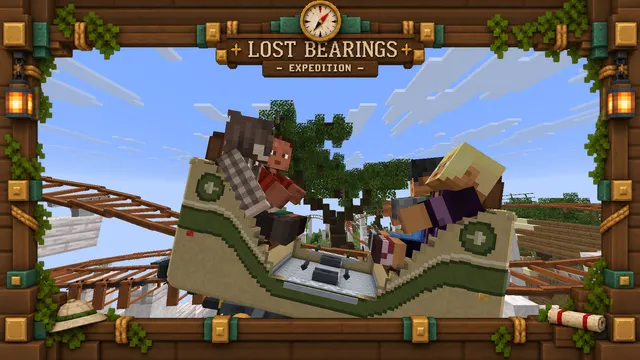
In game · Lost Bearings station
    Expedition Island_Gaspard

    Lost Bearings

    Automatic

    Automatic operation

    The ride runs itself. Turn the key to take the post.

    Train
    Gates shut
    Restraints
    Ready
    E-stop
    Operator
    Turn to take over
    E-stop
    Press to stop
    Dispatch
    Not ready
    Gates
    Turn to close
    Restraints
    Turn to lock
    Smoke
    Press

    This desk works: turn the key and run Lost Bearings yourself.

    Rides

    Nobody at the desk? The ride runs itself.

    Put a sign under your station and every lap runs on its own, the way a real park does it: guests sit down, the countdown starts, the gates close, the restraints come down, the train leaves — and comes back for the next group.

    A real cycle, lap after lap

    Boarding · In game

    Guests take their seats.

    Nothing in the chat at this step.

    If everybody gets off before departure, the countdown stops and the gates reopen.

    Several trains. Never too close.

    Cut the circuit into block sections: a train waits on its brake until the one ahead has moved on. Run as many trains as you have blocks.

    Real gates.

    Each opening and closing runs the console commands you write — a redstone block, a piston, a door, any plugin's command.

    Restraints that hold.

    Give your train a TrainCarts animation called restraints: it plays to lock the riders in, backwards to let them out — and nobody gets off while it is down.

    Buttons of your own.

    Up to four on the desk: a puff of smoke, a toggle, a selector, or a safety lock the train never leaves without. Each runs your commands.

    Flat rides too.

    A carousel, a drop tower, a crazy bus: the same boarding and the same desk, while your animation does the moving.

    Staff, not everyone.

    Anyone in the station sees the desk; only players with utp.operator can work it, one at a time.

    It gets itself unstuck.

    A train held too long is released, an empty one is sent out to clear the way — and one command puts the whole ride back together.

    Open or closed, in one command.

    Closed, under maintenance or out of order — from the list of rides, in game or through the API. Your closing commands shut the queue; trains already out finish their lap.

    Closed means closed.

    A guest trying to board is told why. Staff with utp.operator.maintenance can still ride it and work its desk to test a repair — those laps count for nobody.

    Unload platforms.

    A utp-unload sign lets riders off before the station: the train comes in empty, ready for the next group — and the desk shows where it is.

    Transfer tables

    Restart the server. The fleet puts itself back.

    A transfer table slides trains between the circuit and their storage tracks. Every time your server starts, the coaster clears its old trains away, spawns fresh ones in storage and brings them out one by one — no more half-derailed trains after a crash.

    1. 1Old trains cleared off the track
    2. 2Fresh trains spawned in storage
    3. 3Brought out one by one, each to its block

    One train, no table? Your coaster gets a fresh train in its station on every start too, facing the way its last lap came in.

    Transfer tables need TC-Coasters to animate the track. Every move is checked: if one does not take, the ride stops and says which step failed.

    ×10
    The fresh start on Lost Bearings, ten times faster than life.

    Lost Bearings

    Transfer desk

    Table in line

    Station closed. Trains coming back wait at the brakes until you fetch them.

    TRANSFER TABLECIRCUITTRACK 1TRACK 2Train 2TRACK 3Train 3
    In line
    Moving
    On table
    Guest aboard
    Previous
    Already in line
    Next
    To track 1
    Send on
    Back into service
    Fetch
    Table taken
    Transfer
    Turn to hand back

    Slide the table, store a train, fetch it back.

    The transfer desk

    Or work the table by hand.

    Operators with the transfer key get a desk of their own: the table and its tracks drawn as they stand, which train is stored where, and the buttons to move them. Try it.

    Previous · Next
    Slide the table from the circuit to a storage track, and back.
    Store
    Drive the train on the table into the track it faces.
    Fetch
    Pull a stored train onto the table — or, in line, the one waiting at the brakes.
    Send on
    With the table in line, send its train back into service.
    • Taking the table closes the station: while it is out of line, the circuit has a gap.
    • A train with a guest aboard never moves.
    • Hand the key back and the table lines up, the station reopens.

    On-ride photos

    A photo of every train. Walls to hang them on.

    Put a camera at the bottom of the drop. Every train that passes is drawn — your train models, your riders' skins, your ride's frame — and lands on the riders' page a few seconds later, ready to download.

    In game · the camera on the drop
    1. 1The shutter fires

      A sign under the track, a camera you place by looking where it points.

    2. 2The photo is drawn

      Your trains, your riders' skins, your frame — by your instance, in seconds.

    3. 3It lands on their page

      In the Photos tab, ready to download, for 30 days or forever.
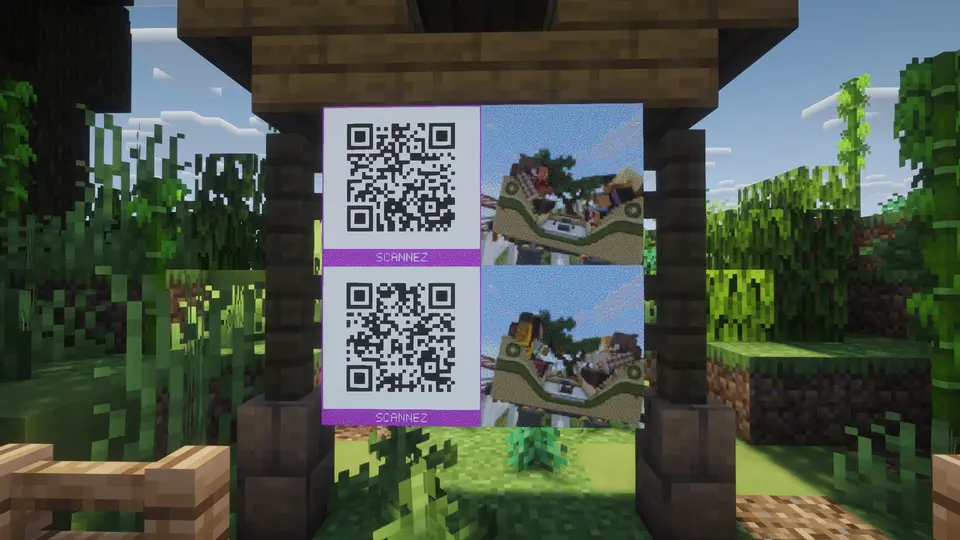
    A photo wall at Expedition Island: item frames with the latest photos, a QR code on each rowIn game

    Photo walls

    The latest trains, on item frames by the exit. A QR code on each row takes the photos home.
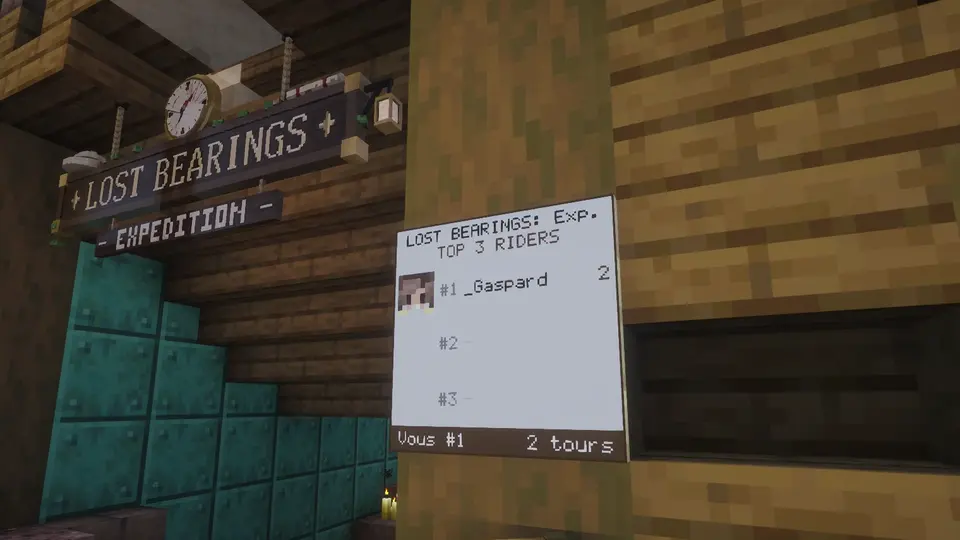
    The top riders' board by the entrance of Lost BearingsIn game

    Leaderboards

    A ride's top riders on a frame by its entrance — and every guest sees their own rank.

    Park audio

    Every land has its music.

    Give a WorldGuard region a track. Guests walking in hear it fade in on the page they already have open — no mod, no resource pack, nothing to install.

    • On-board soundtracks

      From the moment the train leaves, riders hear the ride's own track, over everything else.

    • Everyone on the same beat

      Looped music stays in time for every guest: friends side by side hear the same note.

    • One click to join

      /connect in the chat, a link, one click — in a tab beside the game, on a second screen or a phone.

    region: plaza

    Shows

    Fireworks on the beat.

    A sequence is a show: console commands fired on cue, over music, placed on a timeline drawn over the track's waveform. Guests in the area hear the soundtrack, and whoever walks in mid-show joins at the right moment.

    • Pre-shows

      A ride's first button runs on every dispatch: give it utp sequence start, and the queue gets its show as each train leaves.

    • Flat ride cycles

      Without music, a sequence is a precise clock: speed a flat ride up gently, hold, slow it down, end the ride.

    • Rehearsed live

      Drop cues on the beat with one key, test a single cue on the server, start from the playhead.

    Every night at ten. By itself.

    Give a show its times — weekdays at 19:00, weekends at 21:00, for the summer — and it starts on its own, on your park's clock. Nobody online? That run is skipped.

    • On your guests' page

      Give the show a location, and a Shows tab tells guests what comes next, where, and how long until it starts — on their own clock.

    • Announced in Discord

      Thirty minutes before, your Discord channel hears about it, with where to go.

    Integrations

    Plugged into everything else.

    Your Discord hears what happens, your holograms, menus and scoreboards show it, and your website reads it live — all from your own instance.

    Your Discord, told.

    Paste a channel's webhook link: on-ride photos, emergency stops and upcoming shows post there, under your park's name and logo.

    Your holograms, menus and scoreboards.

    With PlaceholderAPI, they show whether a ride is open, its top riders, the music playing and the next show — in each player's language.

    Your website, live.

    An API key lets your site or bot read rides, laps, shows and photos — and, if you allow it, start a show. Webhooks tell it the moment something happens.

    Your park

    Your guests never see our name.

    Your instance carries your park's name, logo, colour and backdrop on every page — the guests' and the staff's. Every message your guests read comes in six languages.

    • English
    • Français
    • Nederlands
    • Deutsch
    • Español
    • Italiano
    • No accounts, no passwords: your server's permissions decide who operates and who administers.
    • Rides, regions, music and messages change live, with no restart.
    • Your resource pack, uploaded once, reaches every player as they connect: nothing to host, no hash to copy.

    Up and running in 30 minutes

    One jar. One command.

    You host everything, so it is yours for good: nothing of your park runs on our servers, and nothing is left for your guests to install.

    1. 01

      Your Minecraft server

      UltimateThemePark.jar in plugins/, beside TrainCarts and WorldGuard. Your license key, and two values the installer gives you.

      Paper 1.20.4 and newer

    2. Live, both ways
    3. 02

      Your UTP Connect

      One line on a small VPS. The installer checks the server, installs Docker, gets the HTTPS certificate and starts the version matching your plugin.

      A VPS, about €5 a month

    4. Your domain, HTTPS
    5. 03

      Your guests' browsers

      /connect hands each player a private link. Nothing to install, no account to create.

      Any browser

    root@your-vps

    The one line

    Paste it on your VPS and answer three questions: which version, which address, go.

    curl -fsSL https://ultimate-themepark.com/install.sh | bash

    Updates take one click in your administration: a backup first, and the previous version back if the new one won't start. A utp-connect menu stays behind for backups, restores and removal.

    Pricing

    One price. Yours for good.

    No subscription, no hosting bill to us, no per-player tier.

    Lifetime license

    €39.50once

    One year of updates included. No subscription, ever.

    Secure payment by Stripe · Invoice by e-mail

    Everything included

    • The operator desk
    • Cycle and block sections
    • Transfer tables and fresh starts
    • Flat rides
    • Opening and closing rides
    • On-ride photos, walls, leaderboards
    • Music by area and on board
    • Scheduled shows on a timeline
    • Discord, API, placeholders
    • Your name, colours, six languages

    The plugin for one Minecraft server at a time, UTP Connect on your own machine, docs and support on our Discord.

    1. Today

      €39.50

      The lifetime license, every feature, and a year of updates.

    2. After a year

      €9.50 / year

      Only if you want the new versions. No automatic renewal.

    3. Forever

      €0

      What you have keeps working, every version from your period included.
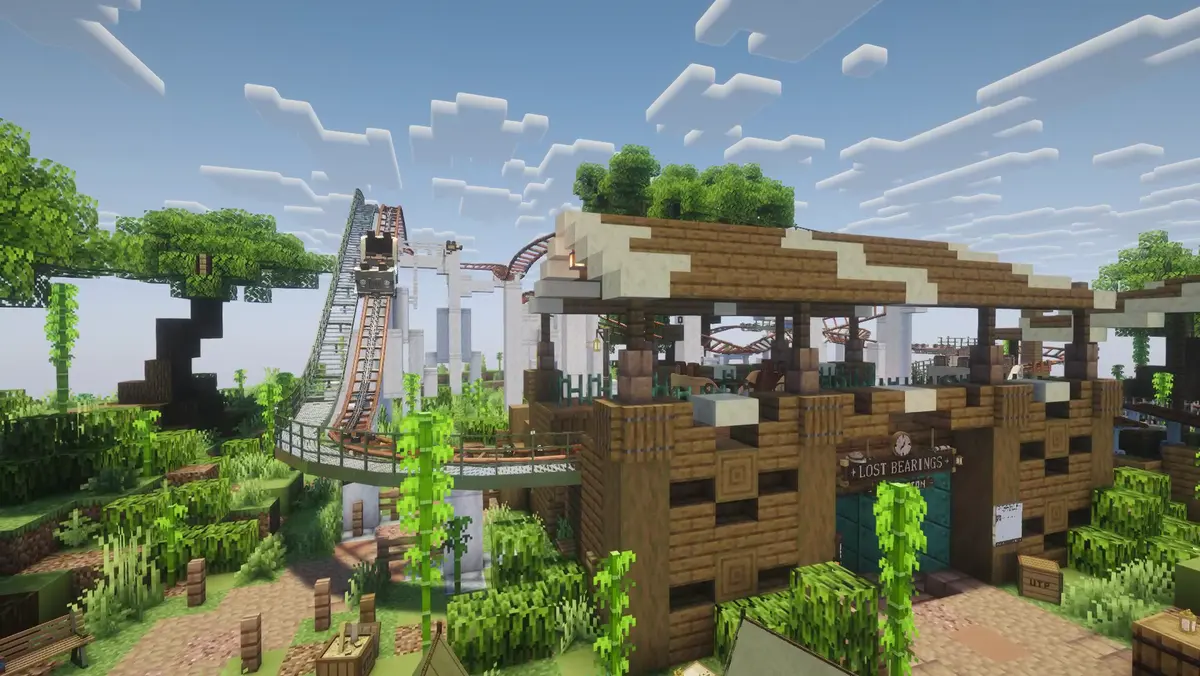
    Expedition Island, the demo park: the station of Lost Bearings, its coaster rising behind

    Demo park

    Ride it before you buy it.

    Expedition Island is open, free, at any hour. Take the post at Lost Bearings, ride Wild Detour, and hear the park the way your guests would.

    Server address

    Online0/10Minecraft 26.2

    demo.ultimate-themepark.com
    1. 1Add the server in Multiplayer
    2. 2Type /connect
    3. 3Open the link

    FAQ

    Questions? Answers.

    What people ask before buying, and a few things after.

    Do my players need a phone?
    No. /connect hands them a link; most open it in a second tab on the very computer they are playing on, or on a second screen, and leave it there. It is an ordinary web page, so a phone or a tablet does the job just as well — it is their choice, not a requirement.
    Will it work with the coasters I have already built?
    Yes. Your tracks stay as they are: you create the ride in the admin and add signs under the track — the station, the block sections, the camera. TrainCarts keeps moving the trains; Ultimate Theme Park runs everything around them.
    Can I run it on my Minecraft host?
    The plugin, yes: any Paper server where you can install plugins will do. UTP Connect runs in Docker, which a Minecraft-only hosting plan cannot run: it goes on a small VPS — about €5 a month — and your Minecraft server stays where it is. If you run your own machine with a Pterodactyl or Pelican panel, it can go there instead, next to your servers. Check this before buying: it is a requirement, and not having it is not grounds for a refund.
    What happens after payment?
    Your license key is shown right away and e-mailed to you, together with a sign-in link to your account. From there you download the plugin and read the getting-started guide. Support happens on our Discord.
    What happens when my updates period ends?
    Nothing breaks. Your license still works, and every version released before the end of your period stays available. To get newer versions, extend updates by a year for €9.50 from your account — whenever you want, no automatic renewal.
    Can I move the license to another server?
    Yes. A license is active on one server at a time; activating it on a new server replaces the previous one, and you get an e-mail when that happens. You can also detach the current server from your account.
    Refunds and questions?
    The license is delivered immediately, so there is no right of withdrawal once paid. If the plugin has a defect we cannot fix on a setup meeting the requirements, we refund you — the details are in our terms of sale. For anything else, write to [email protected] or join the Discord — we answer quickly.

    Ready for your first guests?

    €39.50, once. Every feature, a year of updates, and a park that runs like the real thing.
    Get Ultimate Theme Park

    Secure payment by Stripe. You will receive an invoice by e-mail.